Entri Elevate · Case study · 4 min read
Rethinking How We Schedule Live Classes
How I redesigned live-class scheduling at Entri Elevate so one session could serve learners across batches and courses.
In short: Live classes could be scheduled for only one batch at a time, so we set up the same session again and again. I separated the topic from the session, moved topic setup into the course structure, and rebuilt scheduling. The project documentation estimated annual savings of about ₹24 lakh across 8 courses.
- Role
- Product Designer
- Timeline
- May–July 2025
- Team
- CTO, Academic Team, Developers
- Platforms
- Academic Dashboard, Learner App and Web
- Tools
- Figma
It started with a scheduling problem
At Entri Elevate, some live classes were optional sessions that helped learners prepare for placements, such as mock interviews and communication skills.
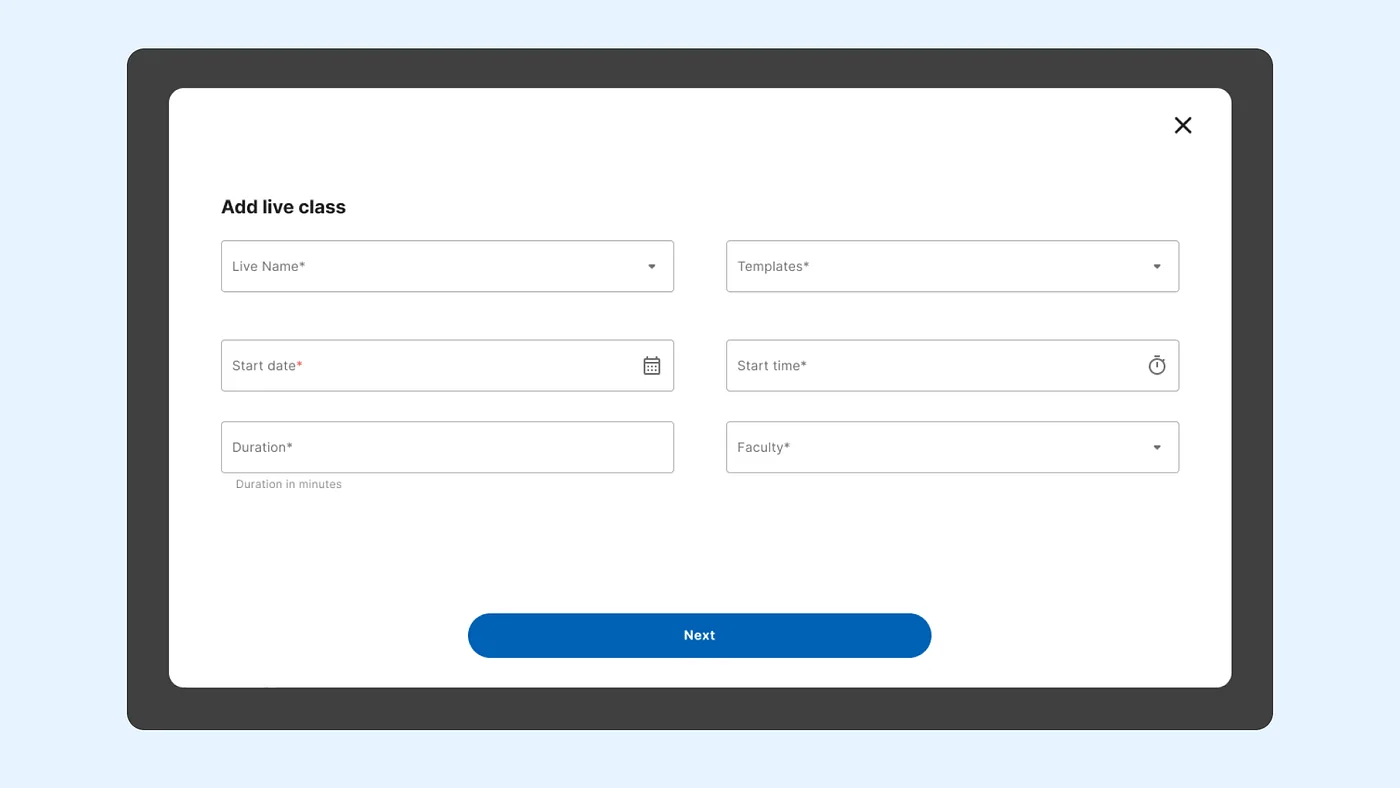
The problem was that a live class could be scheduled for only one batch at a time. Picture a batch of 30 learners where only two want a particular session. The academic team still had to organise a class for that batch alone, even though learners from other batches and courses could have joined the same session. The workaround was sharing a student link, which wasn’t a real scheduling solution.
My first instinct was to let the team select multiple batches while scheduling. But as I walked through the existing workflow, I realised the problem was bigger than batch selection. Class names were inconsistent, learners couldn’t tell what a session would cover, and parts of the setup felt disconnected from each other.
The structure of live classes needed rethinking, not just the scheduling screen.
Separating the topic from the session
In a discussion with our CTO, we explored splitting a live class’s topic from its scheduled occurrence. I took that idea and worked out how it would fit the existing product. It introduced two concepts:
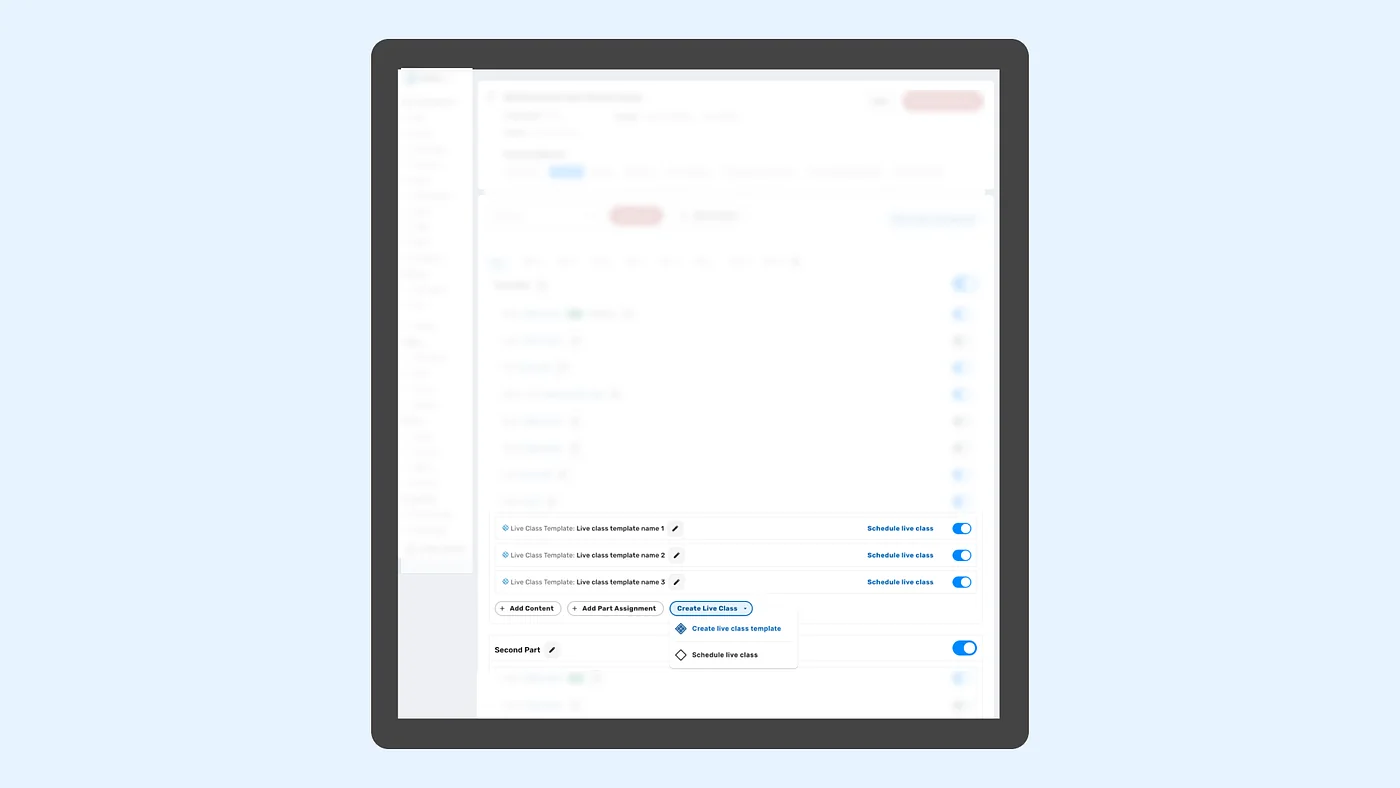
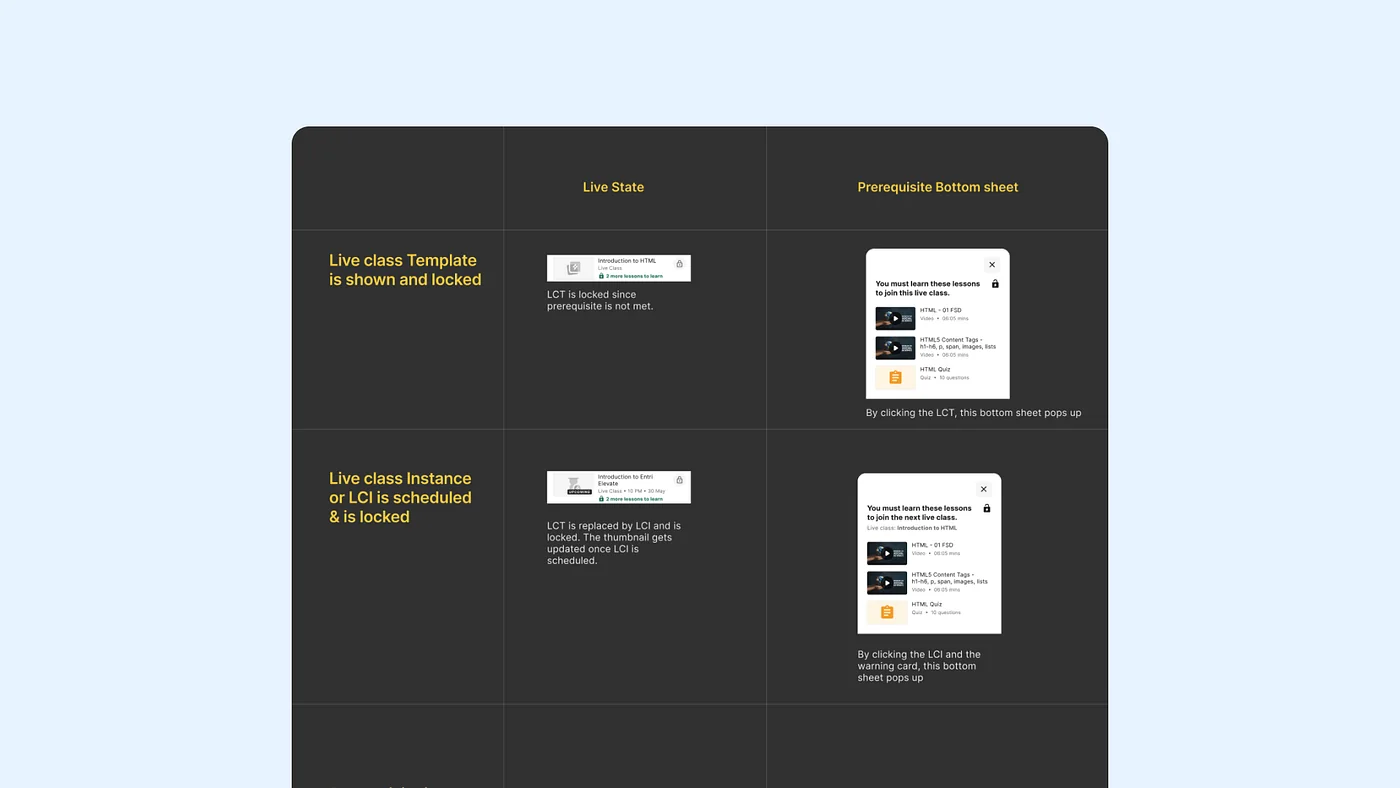
- Live Class Template (LCT): the reusable topic, such as Introduction to HTML.
- Live Class Instance (LCI): the session scheduled for a date and time, with a faculty member and selected batches.
The topic is what you want to teach. The instance is when and to whom.
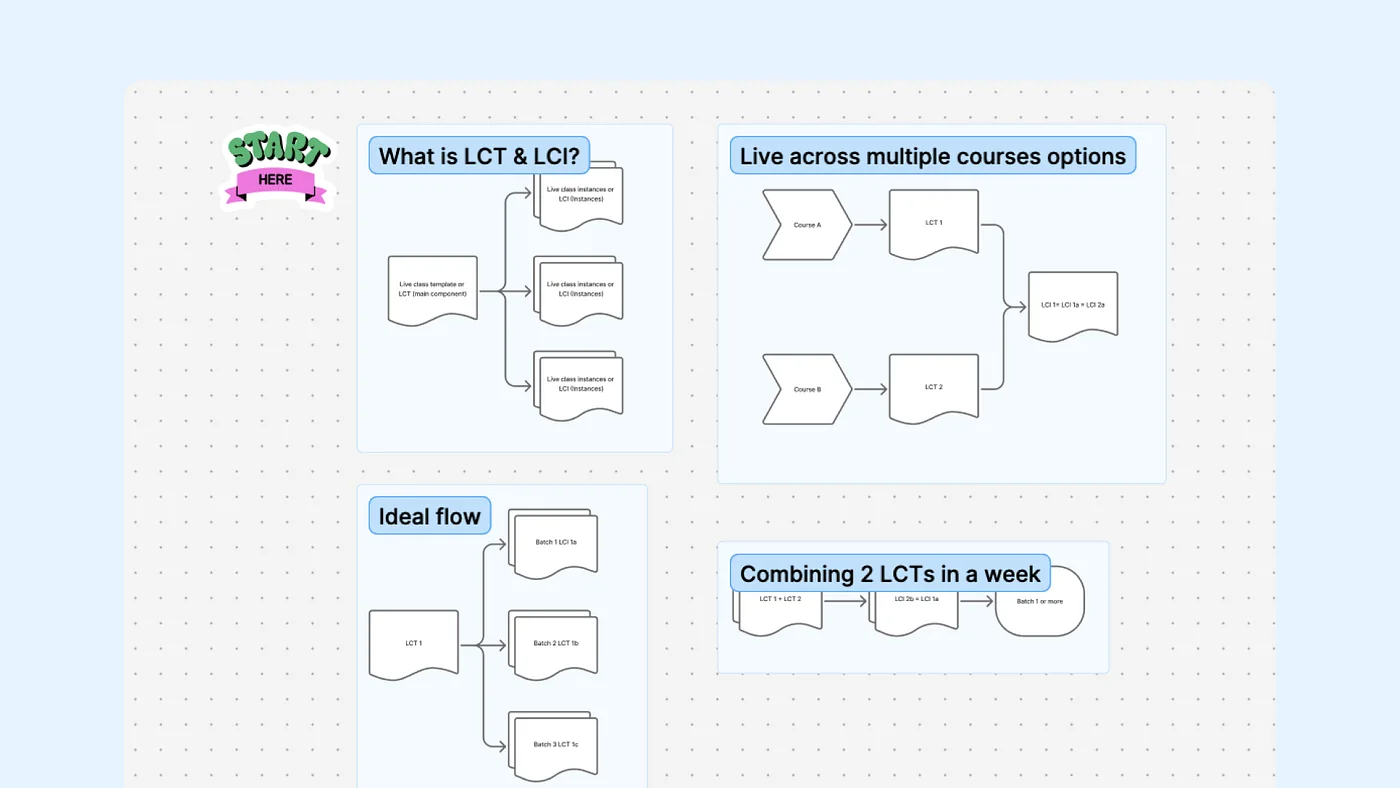
I explored around six variations of the workflow using flowcharts and Figma. The key decision was where templates should be created. At first I placed them inside the scheduling flow, but a template represents a topic, so it belonged with the rest of the course content. That meant the academic team could set up live-class topics while building a course and schedule sessions whenever they needed.
Making prerequisites reusable
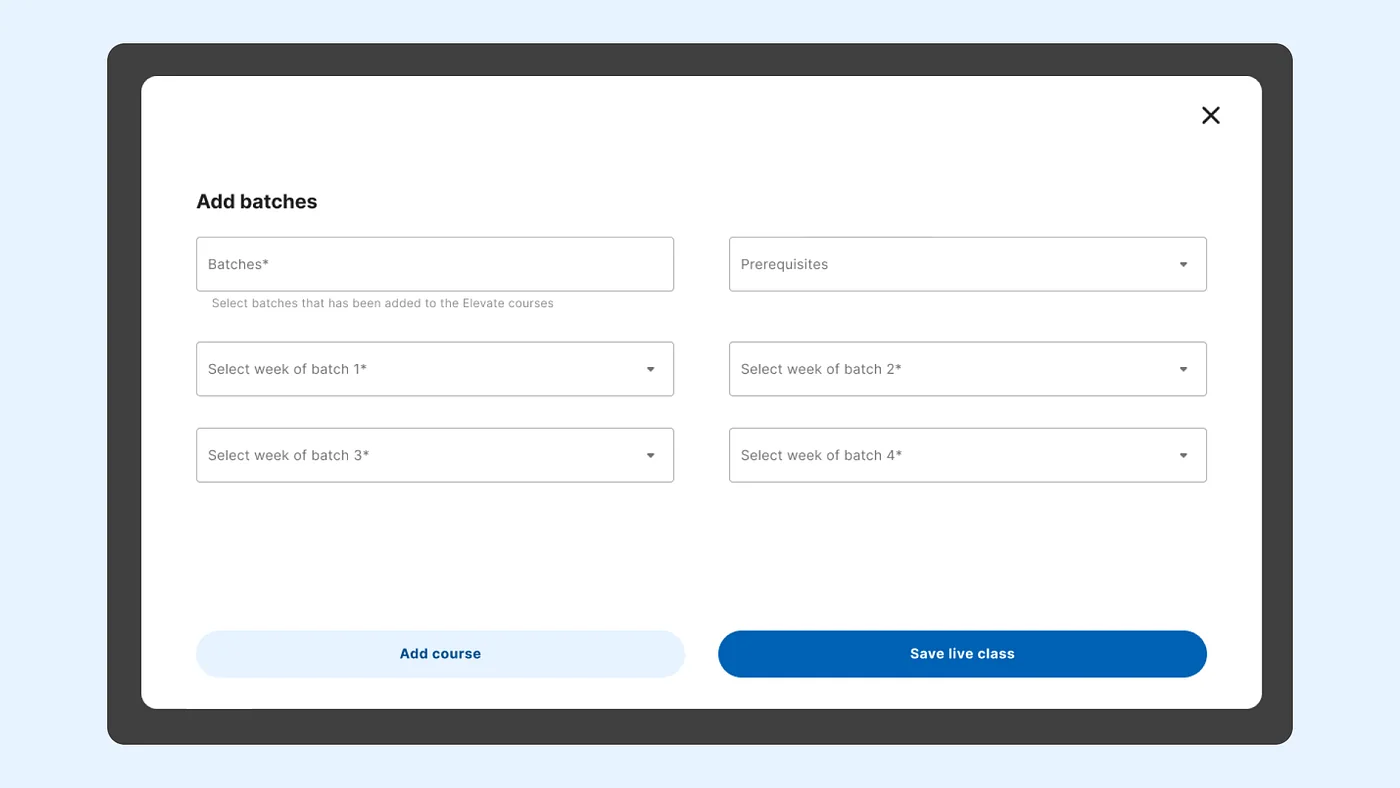
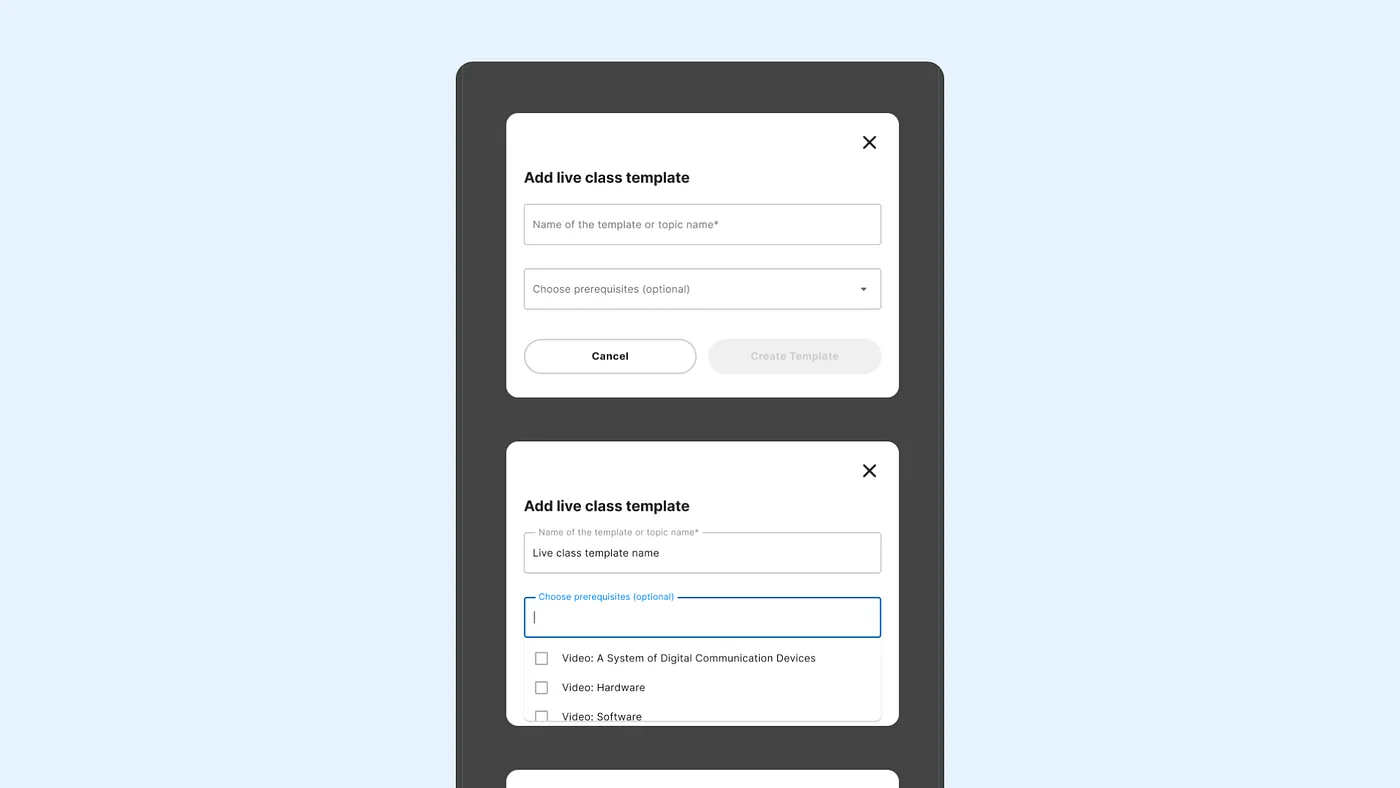
Some live classes required learners to finish specific videos or quizzes first. Setting this up meant linking content IDs, which was hard to understand and easy to get wrong.
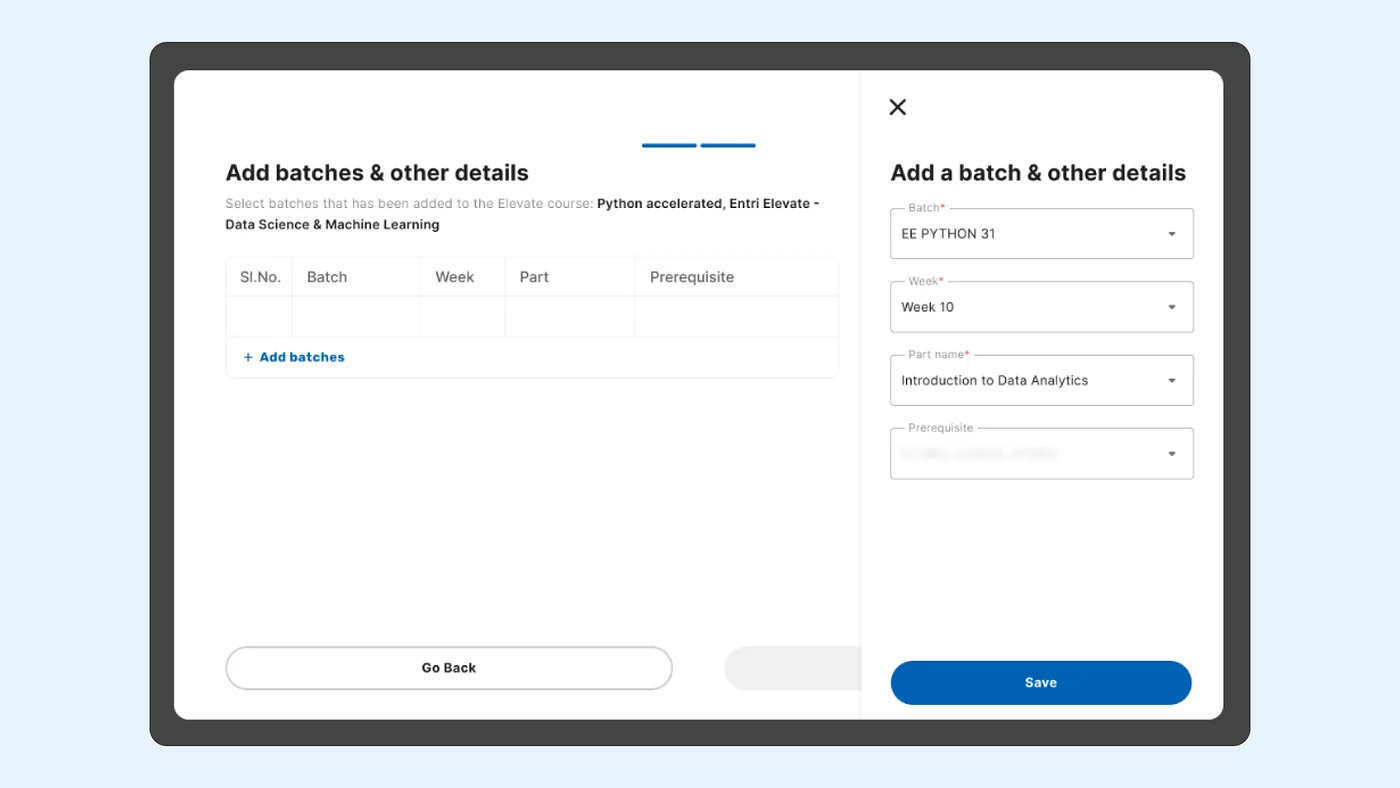
I attached prerequisites to the template instead of each session. Once configured, every session of that topic inherits them, so expectations stay consistent across batches.
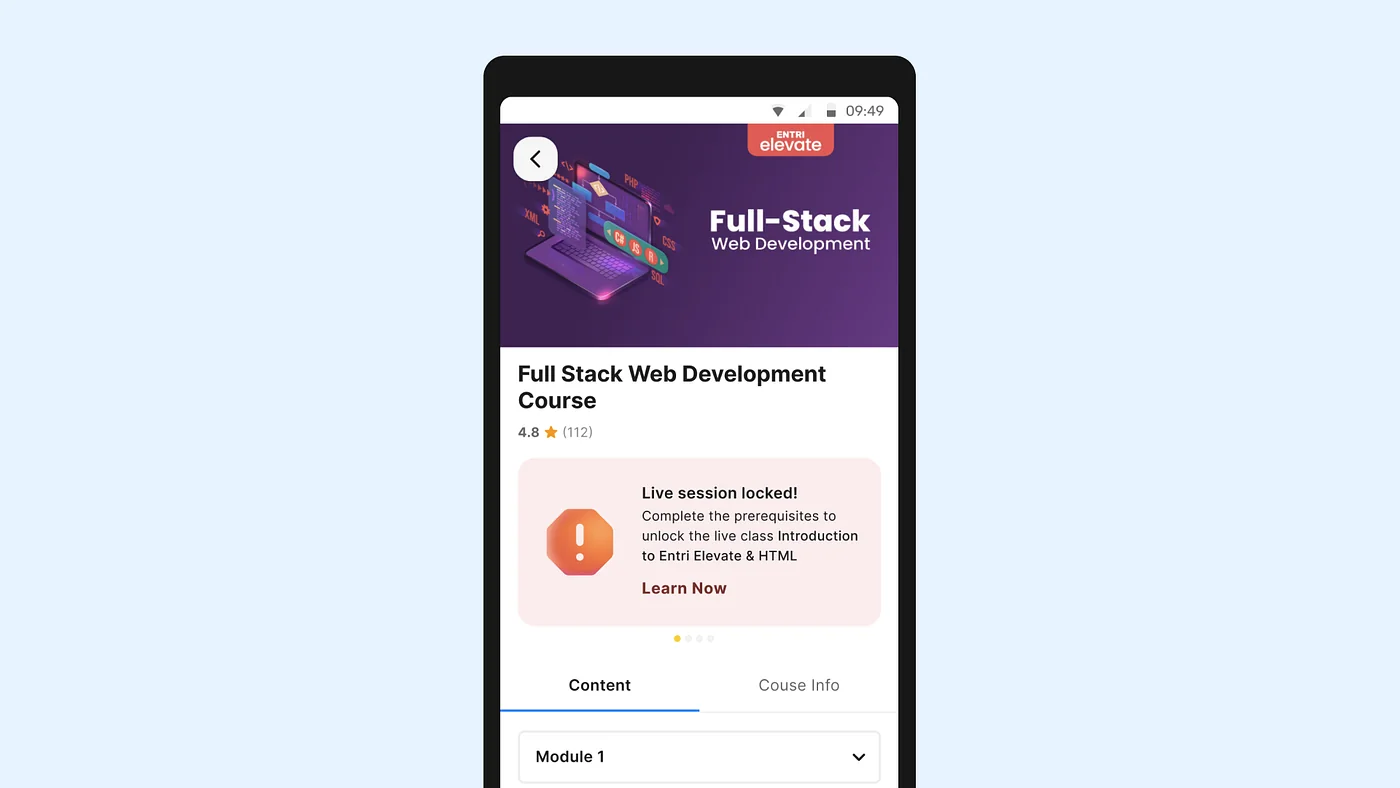
This also had to work for learners. Someone facing a locked class needs to know why it’s locked and what to do next, so the learner app shows exactly which lessons unlock it.
Taming the complexity of scheduling
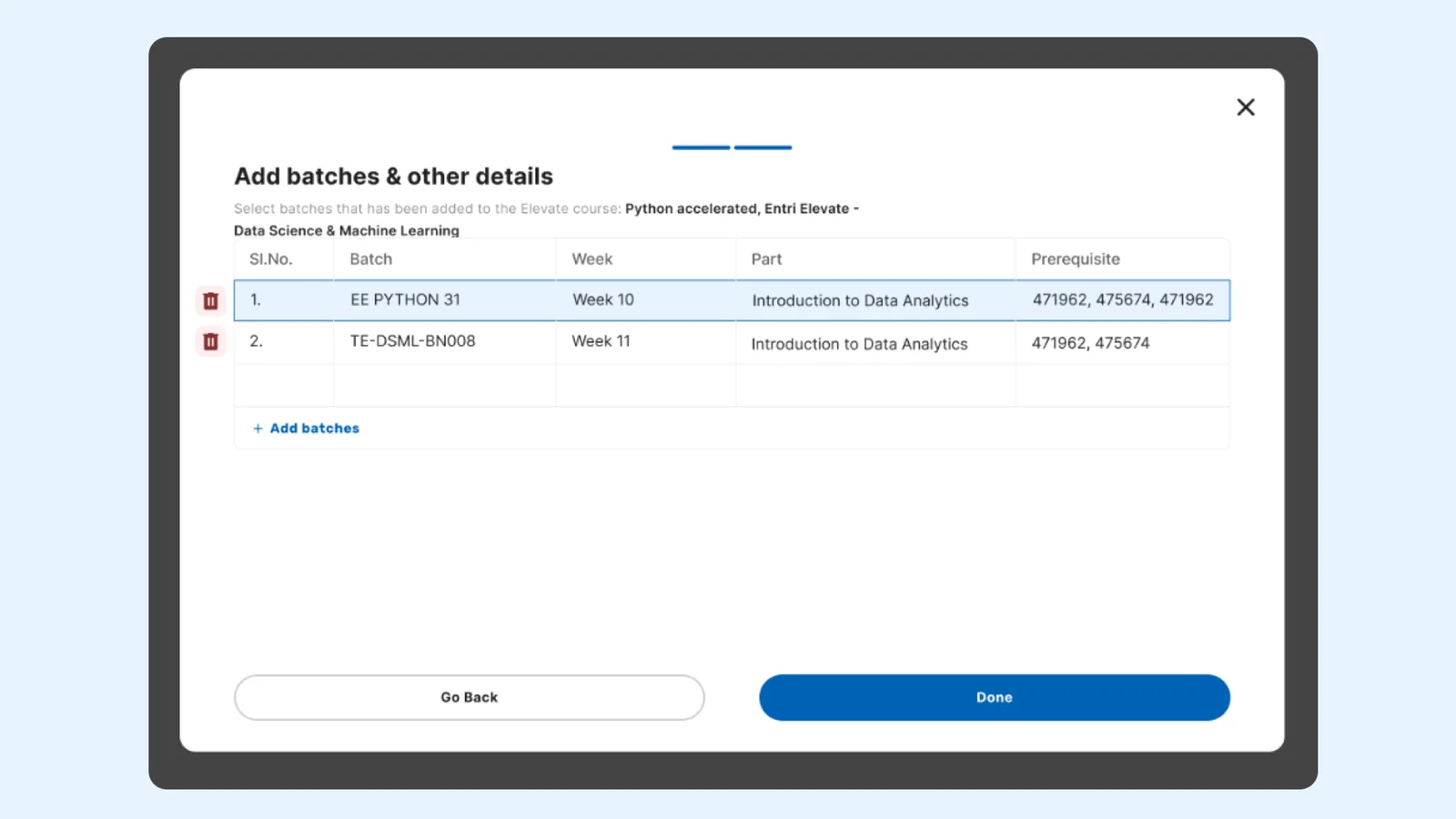
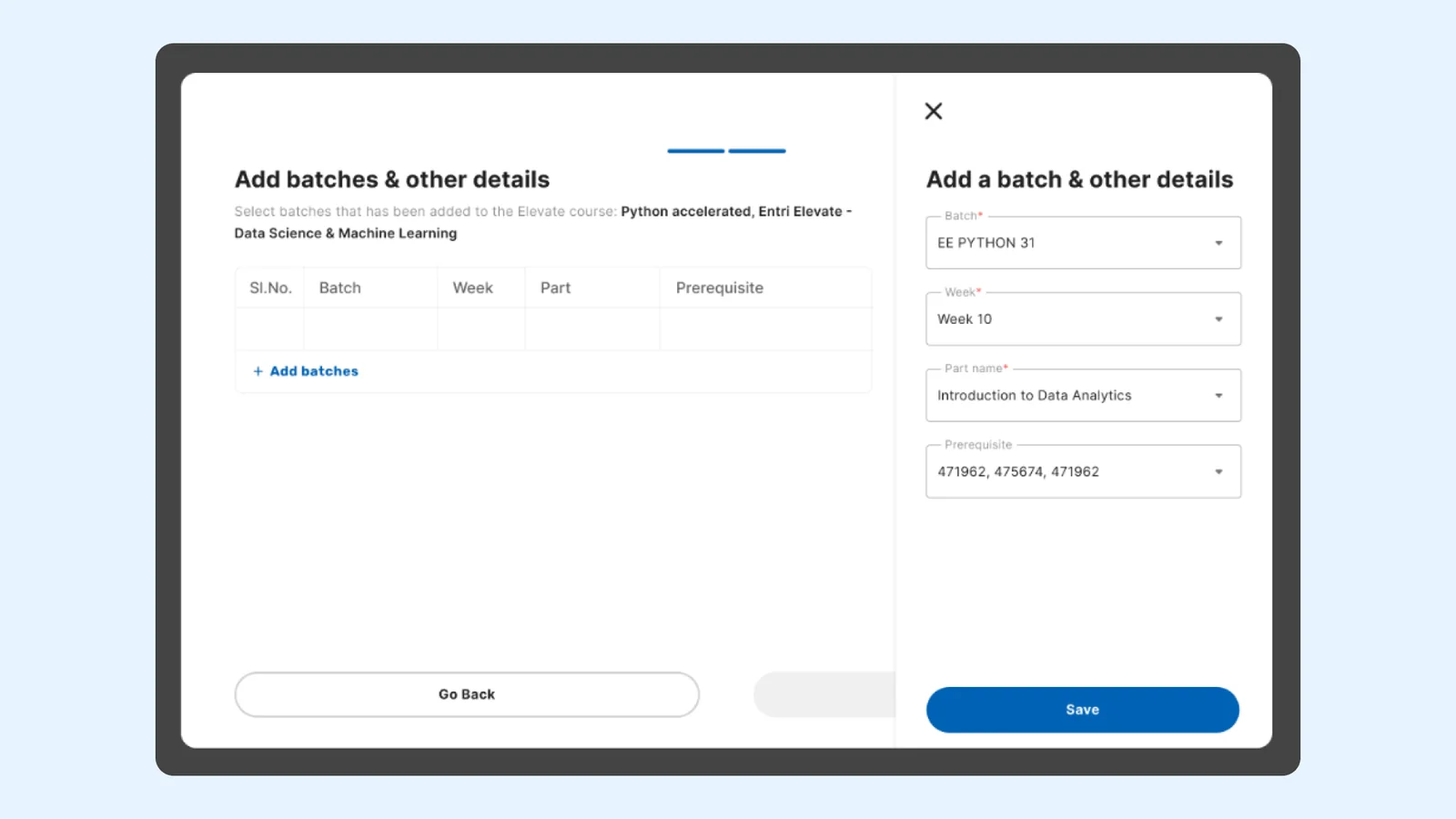
As the workflow grew, the scheduling screen got crowded. It had to handle courses, templates, batches, weeks, parts and prerequisites at once. My early table layout stopped working as combinations multiplied, and even removing a single selection needed careful thought.
I made two changes:
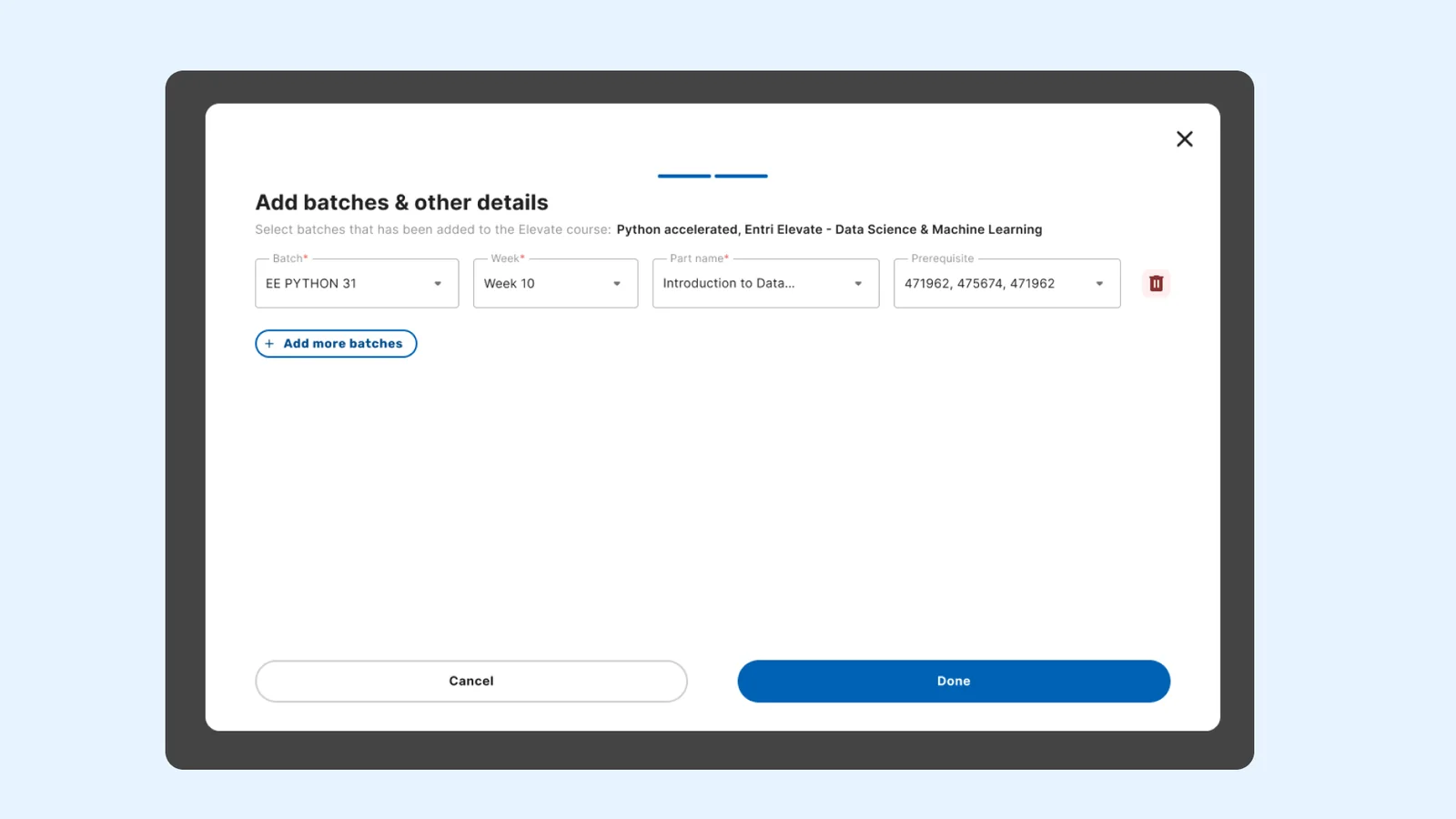
- Split scheduling into two stages. First, set up the live-class details, then choose courses and batches.
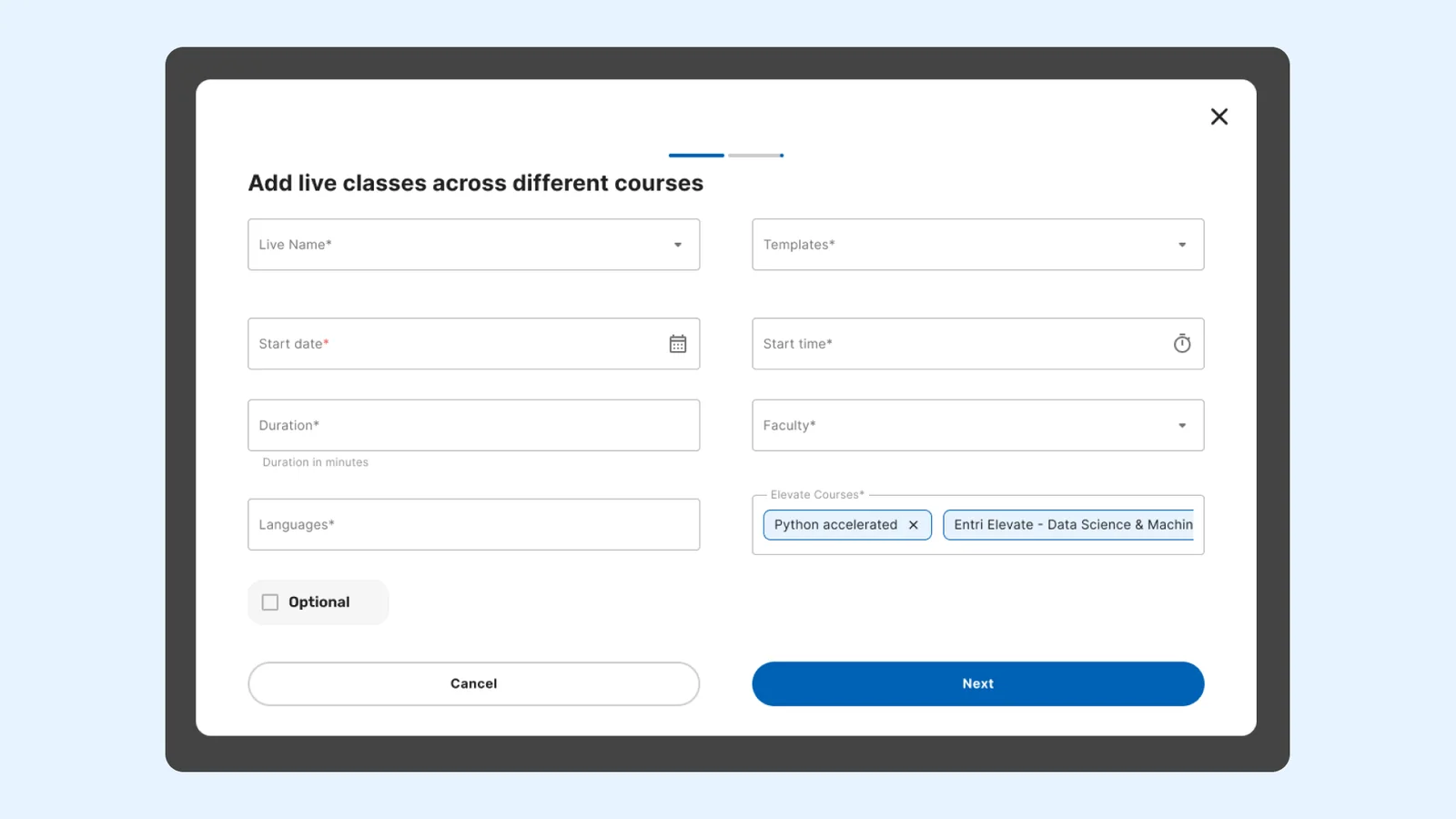
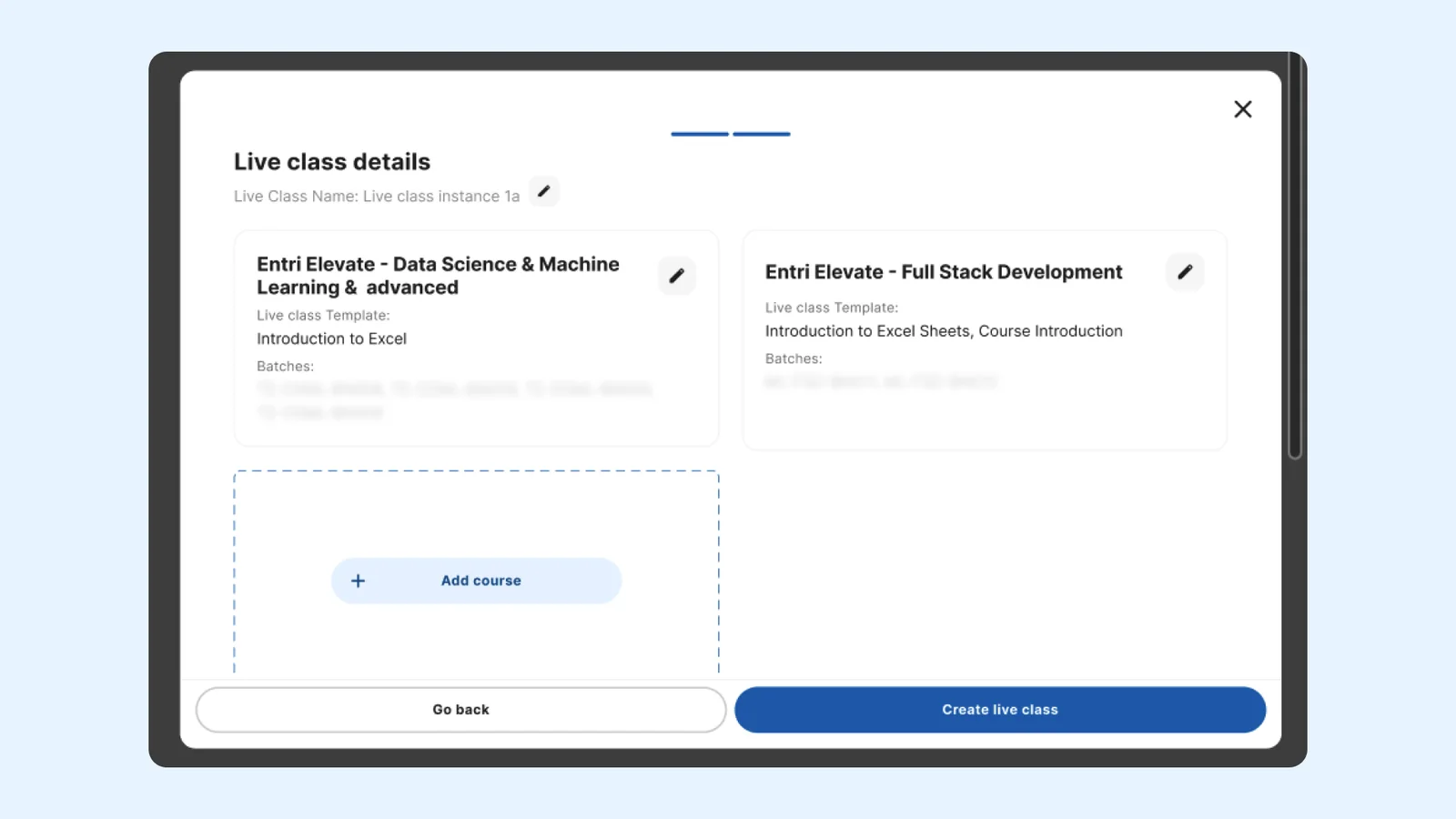
- Moved from a table to cards. Each course gets its own card, which makes the information easier to scan and edit.
One more rule shaped the design: a single session could cover up to two topics, even from different courses. The card layout kept those relationships visible without confusing the setup.
Designing for implementation
A workflow with this many rules needed more than polished screens. I built flowcharts of how templates and instances relate, annotated the selection rules, and documented edge cases so developers knew how each combination should behave. I worked across the academic dashboard and the learner app and web, so the experience held together end to end.
The developer raised an edge case about the recorded live when 2 LCTs across 2 parts are combined. We duplicated the recording to avoid confusion for users and not break their continuity while learning.
Before launch, I checked the build against the intended experience.
The outcome
The academic team could now build reusable live-class topics, set prerequisites once alongside course content, and schedule one session across batches and courses. They no longer had to re-create the same class for every batch.
The first few days had a learning curve as the team adapted. They were confused about the topic names to be added and the addition of batches across the 2-step process.
Across the 8 courses covered, the project documentation estimated annual savings of approximately ₹24 lakh from consolidating duplicate sessions for the same topic. This is a reported project estimate, not a figure I calculated myself.
What I took away
I’m most proud of how a simple-looking scheduling request became a set of connected decisions: how academic teams build courses and manage sessions, how developers read the rules, and how learners know what to do next.
Designing and testing the six workflow variations with the academic and dev teams showed me how content codes are structured and how much of the team’s time went into admin tasks like this. I came away understanding the system far better than when I started.
The lesson I keep from it is that the most useful change isn’t always another option in the flow. Sometimes it’s stepping back, questioning the structure, and finding a simpler way for the pieces to fit.